







SCRIPTALYZER™ - HANDWRITING ANALYSIS SOFTWARE

Click to Enlarge
|
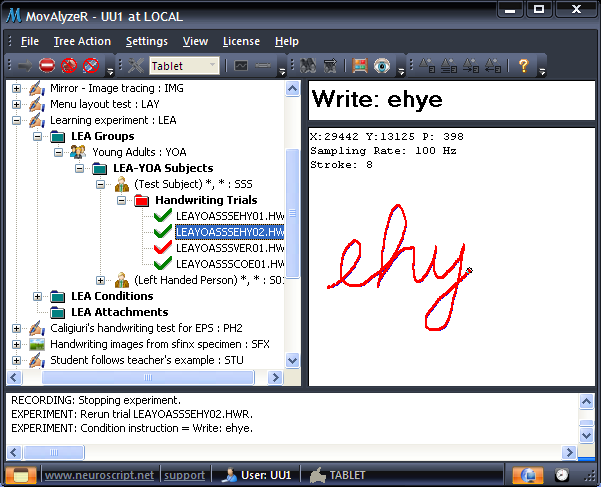
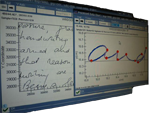
ScriptAlyzeR™ is handwriting analysis software
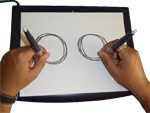
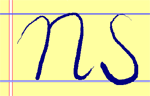
designed to measure and analyze fine motor movements, i.e., movements performed by
hands and fingers, including handwriting and drawing.
Using the software, research-quality handwriting tests can be configured by professionals,
and summary results can be obtained immediately after completing a handwriting test.
ScriptAlyzeR™ also comes with the Stimulus Editor
for visually creating and managing stimuli (no additional purchase required -
MovAlyzeR® required for using stimuli).
MovAlyzeR®, movement analysis software, is an enhanced software package with visual stimuli and sub-movement analysis.
|
| Key Aspects |
|
Analysis of goal-directed movements
Multiword segmentation
|
| Input Device |
|
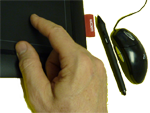
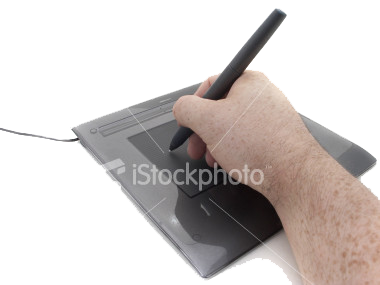
Mouse or Pen (on a tablet or digitizer can be used >> More..
|
| Hierarchical Design |
|
Groups of various subjects and patients
Nested experiments, groups, subjects, trials and conditions
Conditions per session
|
| Simple, Easy and Quick |
|
MS Windows interfaces provide a very user-friendly environment
Easy installation, setup and usage
Instant results, data summary and analysis charts
Standard experimental designs have been implemented
|
| Promotes Application of Lab Results |
|
Highest scientific, accurate methods - one mouse-click away
|
| Replicability of Results |
|
Automatized processing with no user intervention required to produce more reliable and repeatable results
|
| Client/Server Integration |
|
Data sharing through a LAN or the internet between computers running GripAlyzeR
|
| Free Trial Period |
|
Try the software for 60 days with all the features of the purchased version (hardware not included)
|
| Platform |
|
Windows XP and Vista for versions 4.0 and later ** Windows 95B, 98, NT4, ME, 2000, and XP for versions 3.94 and earlier
|
|
Setting up experiment to collect new data/import existing dataCustomizable conditions per experimentRaw data collection from digitizer/mousePresentation of visual stimuli/targets during recordingPresentation of voice or other sound stimuli during various events (eg., start of recording)Visualizing recorded and processed dataAvailability of ASCII files for raw, processed, segmented, feature and consistentency dataProcessing and reprocessing trialsSummarizing of all trialsAnalysis and graphingComprehensive ASCII file with data summary per experiment that can be imported to SPSS and other analysis programs |
|
Password protected user and subject specific dataConcurrent processing of trials after recording (i.e., display charts/data after every trial)Option to present delayed visual feedback of the recordingRotation and gain of visual feedback settable per conditionReal size targets on displayMultiple segmentation options based on vertical velocity zero crossings, acceleration zero crossings and absolute velocity minimaExclude trials based on several criteria, including settable reaction time rangeReal time actions loggingView relationships between different itemsBackup of dataQuestionnaire per group to be presented to each subject before recordingImport/Export wizards for data and experimentsGenerate test patterns with adjustable sizes, durations and noise levelsInteractive and animated stimuli/targetsReal-time replay of movements previously recordedGeneration of reports on subject data, experiment settings and questionnaire responses'Find' and 'Find Next' options for all objectsRun-time alteration of timeoutsStatus bar to show the progress of recording/processing of trial dataLog run-time actions into a text file for troubleshooting or later reviewingSubstitute missing trials during generation of data summary for consistent resultsConsistency of the user interfaces with most current windows-based systems, including context sensitive help using F1 Key |
|
Example experiments in user UU1
Application Help in menu (Help -> Application Help)
Online Help
Test your mouse or tablet
Start the Experiment Setup Wizard (File menu)
Customize your menu bar or toolbar to your liking
Frequently Asked Questions (FAQ)
Help and
Forums
Online demos |
|
|
|
| |
All content copyright © 1997-2008 NeuroScript LLC.
Site design by BORG Limited. All other graphics, trademarks, and intellectual content are property
of their respective owners. Send website-related questions/concerns to the
.
|
|
|